latest news
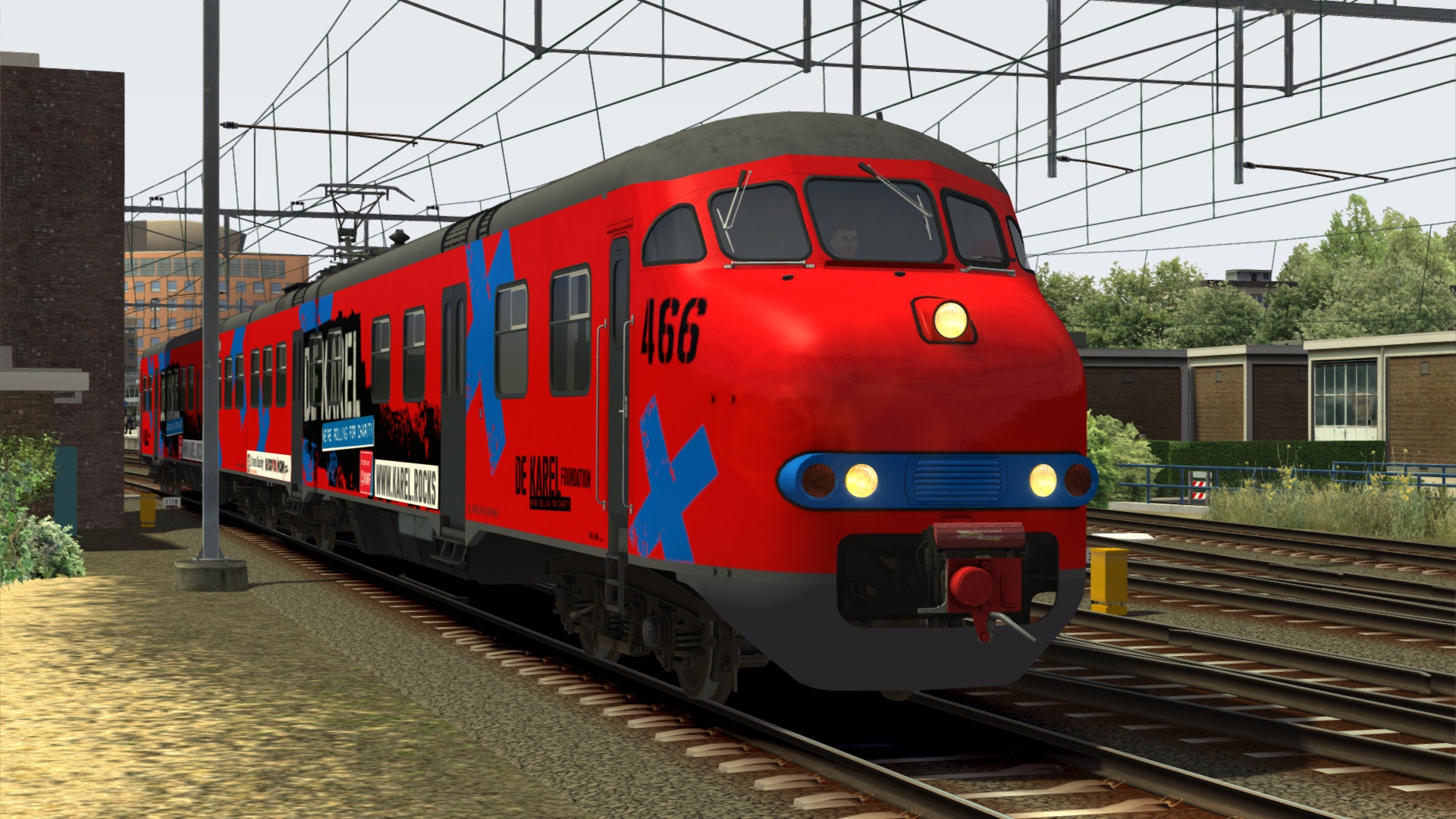
Mat'64 v4.0.0 update now available, and a new paint scheme to raise money for charity - the 466 'Karel'
![[menu logo]](../images/christrainslogodot.png)
Mat'64 v4.0.0 update now available, and a new paint scheme to raise money for charity - the 466 'Karel'
Want to start or grow your collection by more than one product? Use these coupon codes for bulk discounts:
GIMME2 = 10% off two products
GIMME3 = 15% off three products
GIMME4 = 20% off four or more products
Subscribe to the mailing list for occasional updates and important announcements.



All my DLC is designed to work in the game Train Simulator Classic. This can be purchased from Steam: Train Simulator Classic.
Please make sure that you buy a version of the game that has some routes with overhead power cables (most of the German routes have these). My electric trains require these in order to work. Obviously the diesel trains can be used on any route.
This website has a shop where you can buy any of my Dutch trains DLC.
←Note the discount codes on the left for buying two, three or four or more products at once.
If you don't want to use a credit card or PayPal, each product page has a link to the partner webshops around Europe. The Dutch ones (SimTopia and RailTraction) accept iDeal as a payment method.
Once you have bought a product, all future updates are free.
Each product comes with an executable (.exe) file and a keycode. You need to be connected to the internet to install the products (the keycode must be checked against a server). Run the installer, accept the EULA, choose the destination folder (it should be automatically filled-in for you) and type in the keycode, and the products should get installed in the correct location in the game.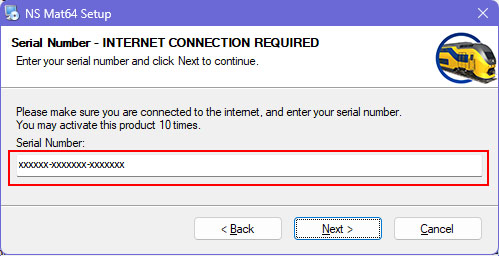
Note: ChrisTrains does not collect any personally identifiable data during this process. Only the keycode is checked and validated with the activation server.
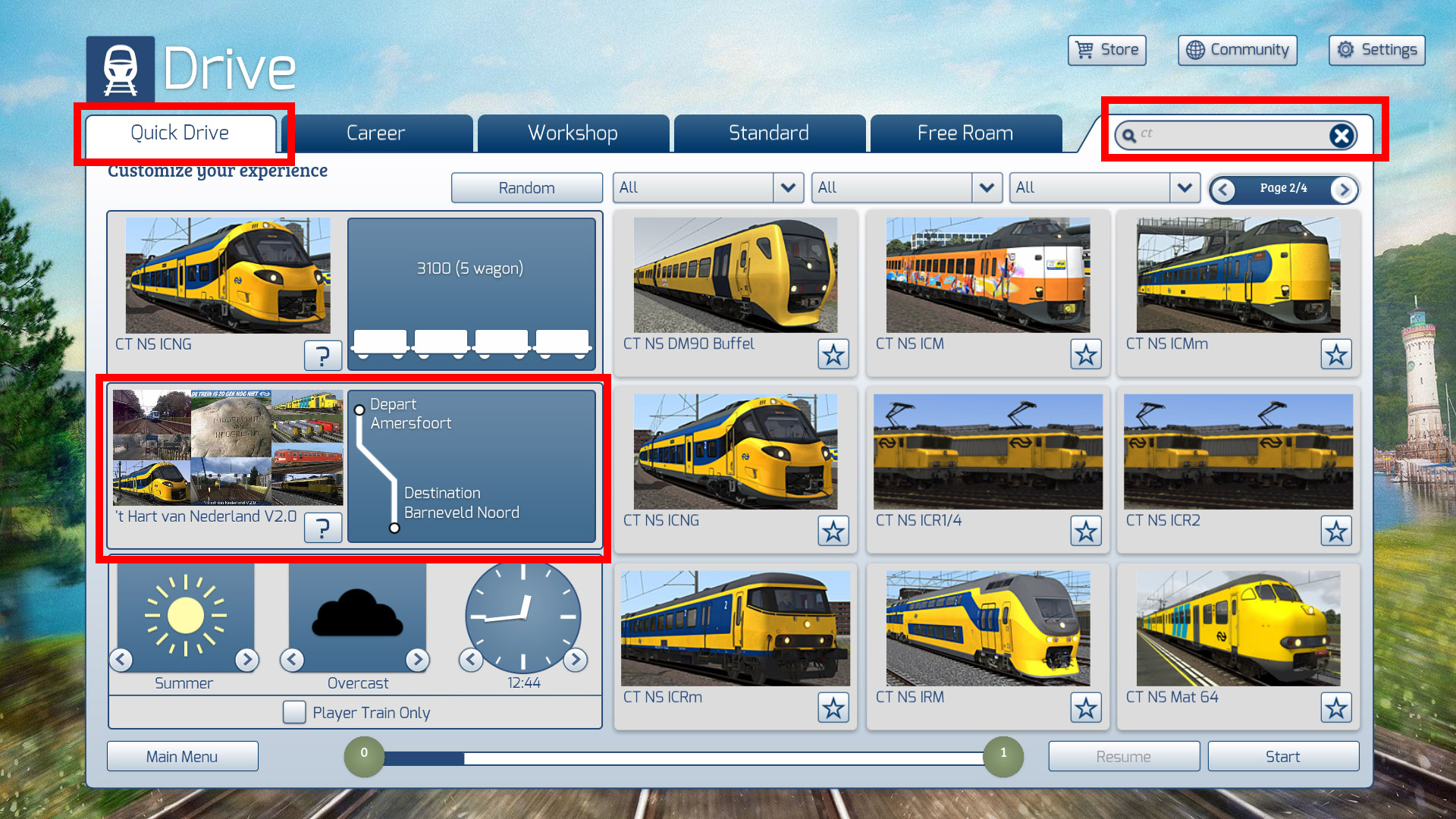
Below are screenshots of the recommended game settings to get the most out of my DLC.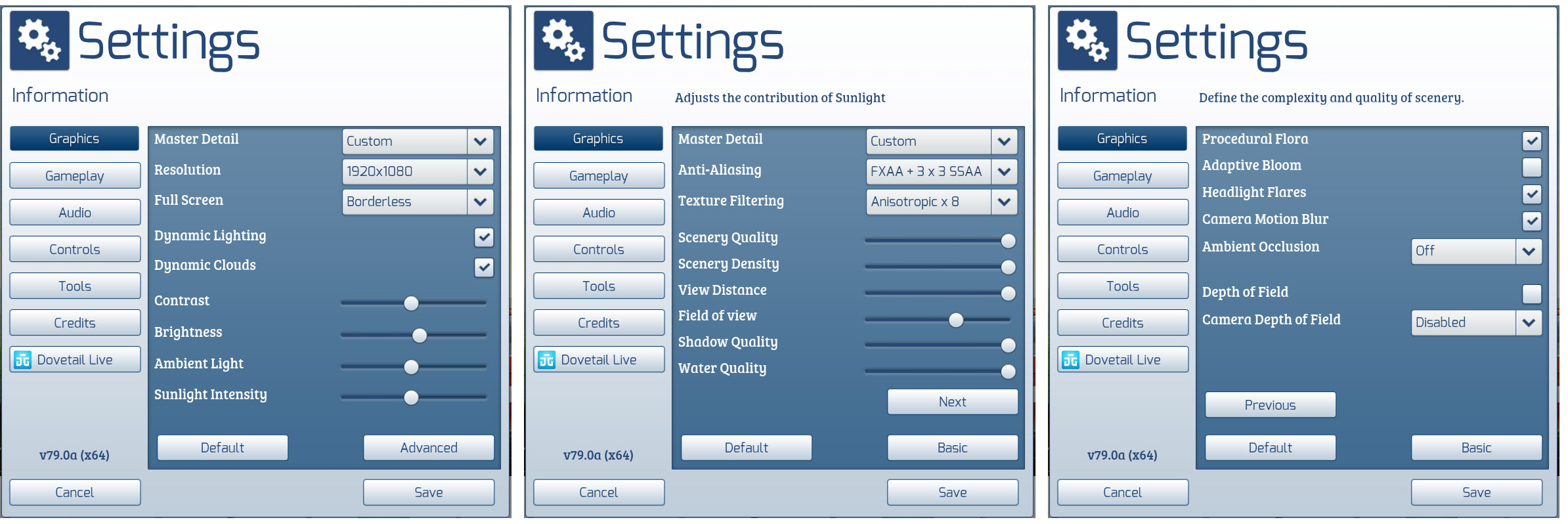
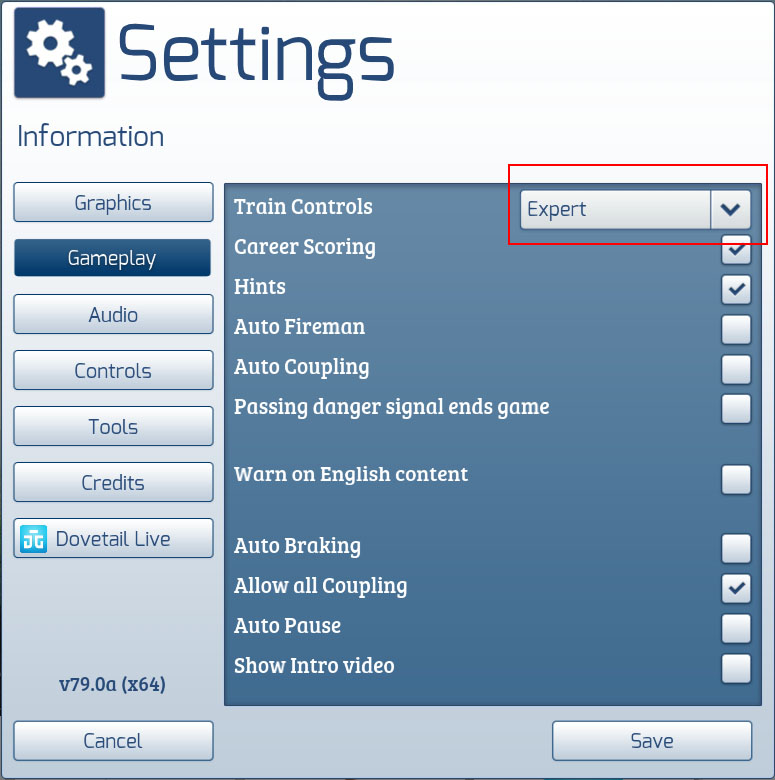
The quickest way to drive is to use 'Quick Drive'. Choose Drive -> Quick Drive from the main menu. Pick a route, pick a starting and ending point, then pick a train. When choosing a train, you can use the search bar at the top-right of the train-picker and type in CT - this will show a list of trains and ChrisTrains DLC should be there.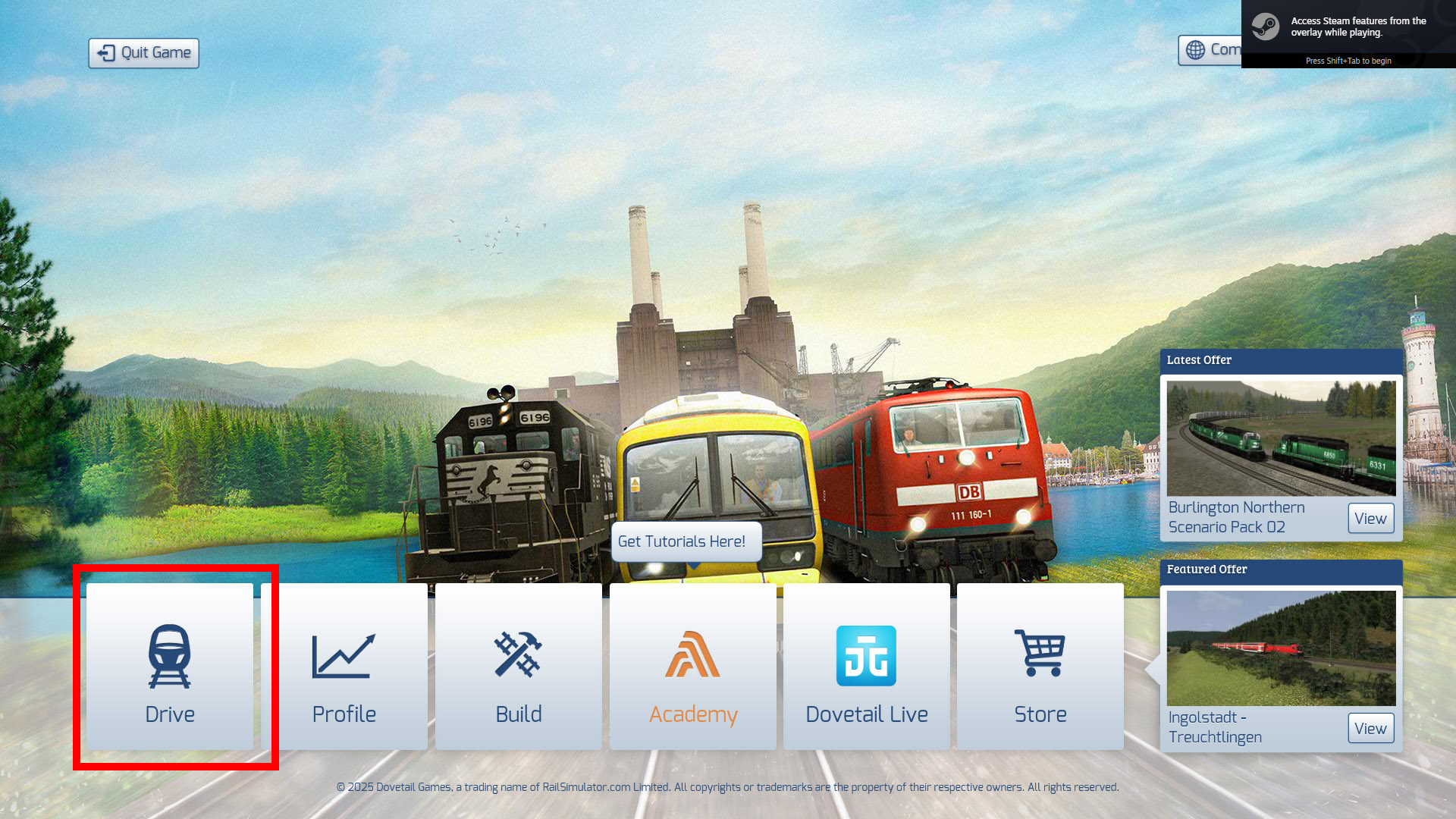
The best place to expand your horizons and start driving Dutch routes is the DutchSims website. Their forums have plenty of free Dutch routes available. You can find it here: Dutchsims.nl routes. I also have a whole page about routes explaining why the freeware Dutch routes can be so complex to install - please make sure you read it.
The DutchSims forums are full of players who will be able to help you out.
The help menu at the top of each page will take you to a general help page with links to knowledgebase articles and the helpdesk if you need it.
![[email]](../images/email-blue.png)


 is the property and trademark of Nederlandse Spoorwegen.